Just a few weeks ago, SAP released SAP BusinessObjects 4.1 as a ramp-up release. Based on the current schedule, it will be GA on September 29th 2013. Some of you will have the privilege of participating in the ramp-up program. It just so happens that we (DecisionFirst) have been participating in the program for the past few weeks. This has given me the opportunity to interact with the new release directly. Now its time to share what I have learned.
As opposed to listing all of the “What’s new” features in this posting, I have decided to simply list a few items that I have observed and what you can expect. There are actually quite a few features documents already available that discuss the “What’s New” features of 4.1. I don’t believe I can add anything new that is not already listed in the links below. However, I encourage you to read through these documents.
https://scn.sap.com/docs/DOC-40282 – What’s New in SAP BusinessObjects 4.1 L1
http://scn.sap.com/docs/DOC-40283 – What’s New in SAP BusinessObjects 4.1 L2
http://scn.sap.com/people/tammy.powlas3/content – Look for 4.1 content from Tammy Powlas
sbo41_whats_new_en.pdf – The official What’s New guide from SAP
With that said, the following is a limited list of what you can expect to find in 4.1.

- The new System Configuration Wizard (SCW) can be found within the home page of the CMC. This new tool allows you to easily size and split your adaptive processing servers. It also stops services that you won’t use. It asks you a series of questions based on your expected utilization and the amount of RAM on your server. It then re-deploys the servers based on preset templates. It was very easy to use but I have seen a few problems when you upgrade. If you are upgrading from 4.0 to 4.1 and had previously split your APS services manually, I would advise that you delete your existing APS services before running the SCW. The SCW will automatically re-deploy new ones based on your feedback so don’t worry about loosing anything.
- There were a few changes to the way that SSO is processed in the BILaunchpad.properties and OpenDocument.properties files. There is a new configuration parameter that establishes the SSO processing priority. For those organizations that have multiple SSO methods configured, the “sso.types.and.order= ” parameter will now allow you to list the order in which different SSO methods are processed. In addition, I found that this needs to be set even if you are only using (for example) Vintela. For me, Vintela SSO did not work until it was in the list. If you are installing 4.1, be prepared to visit this parameter post install.
- The new features found in SAP BusinessObjects 4.0 SP5 and SP6 are found in 4.1.
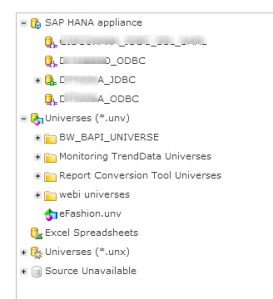
- Explorer 4.1 support the UNV (UDT) universe. This should have been available day one of 4.0 but “beggars can’t be choosers”. With that said, this gives you a few more options to consume BW data within an Explorer info space. It also mitigates (Not Eliminates) the need for you to migrating Universe to the IDT (UNX) format.
- The installation process is faster. In my experience it takes about 30 minutes less per node.
- You can now install patches and updates in parallel. I’ll admit that I have not tested this but it is listed as a new feature in some documents. If it turns out to be true, this should make the update and patch process go much faster in a clustered environment.
- Sybase SQL Anywhere is now the bundled default database for the CMS and Audit DB.
- Crystal Reports 2011 is now Crystal Reports 2013.
- SAP Visual Intelligence is now SAP Lumaria.
- Universe and Webi Query Striping is available for relational sources not just OLAP.
- Deski is back (again!!) Although you can’t view and schedule Deski reports in the BI Launch Pad or CMC. It is intended to help organizations migrate from Deski to Webi without the need to run two environments.
- Mobile versions of Dashboards 4.1 can be based on a QaaWS or BIWS connection. This extends mobile support to the legacy web services connectivity options. This is a great add that was sorely missed in 4.0 SP5 and SP6.

There are obviously several other enhancements in 4.1. Using the links provided above will be a good starting point to understand all the changes. My last and final thought is around quality. Having all these new features is nice but my one hope is that everything that is intended to work, actually works. I also hope to see fewer error messages when performing routine tasks. Based on my initial testing, 4.1 appears to be a very stable build. However, until I see it in operation at a customer’s site, I will hold off on my full blessing.
 SAP BI Blog